
In this article you can find:
What are In-App Messages?
Where can I find In-App Messages?
Tip: Activate Push-Notifications
Can I mute or deactivate messages from a studio?
What are In-App Messages?
In-app messages are short text messages (e.g. schedule updates, news) that your studios can send directly to your Eversports App.
Your studios are the ones that you have visited or purchased a product from, and have agreed to be contacted by (subscribed to communication).
These messages are one-way, which means that you can only read them but cannot reply to the message.
Where can I find In-App Messages?
|
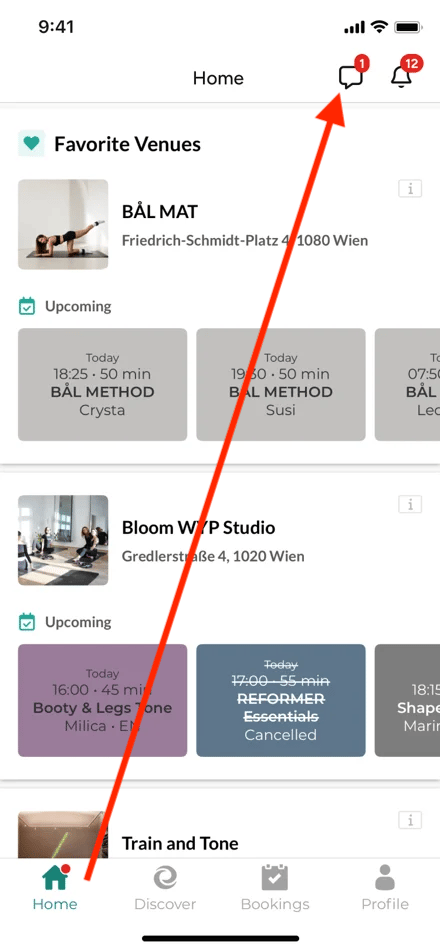
You can find in-app messages directly in your Eversports App via the message icon at the top of the Home screen. Each of your studios has its own chat - so you can easily find the messages. |
 |
Tip: Activate Push-Notifications
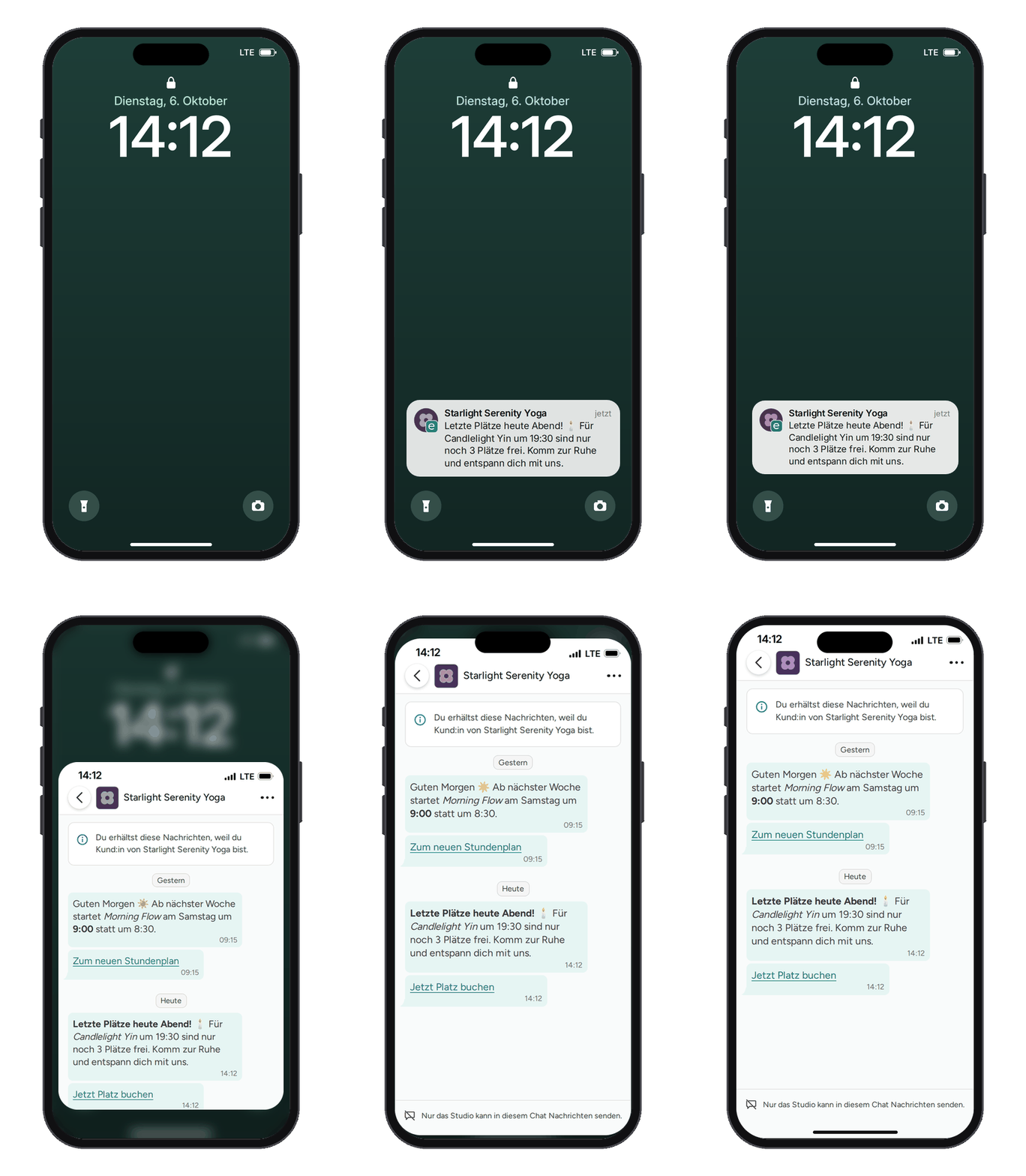
If you have turned on push-notifications for the Eversports App you can receive a notification on your smartphone as soon as one of your studios sends a message - this way you are always up to date, and cannot miss any news.
|
Enabling push-notifications for iOS phone/tablet:
Enabling push-notifications for Android phone/tablet:
|
|
Can I mute or deactivate messages from a studio?
Mute messages from a studio
If you want to unmute them again, you can do it directly in the chat. |
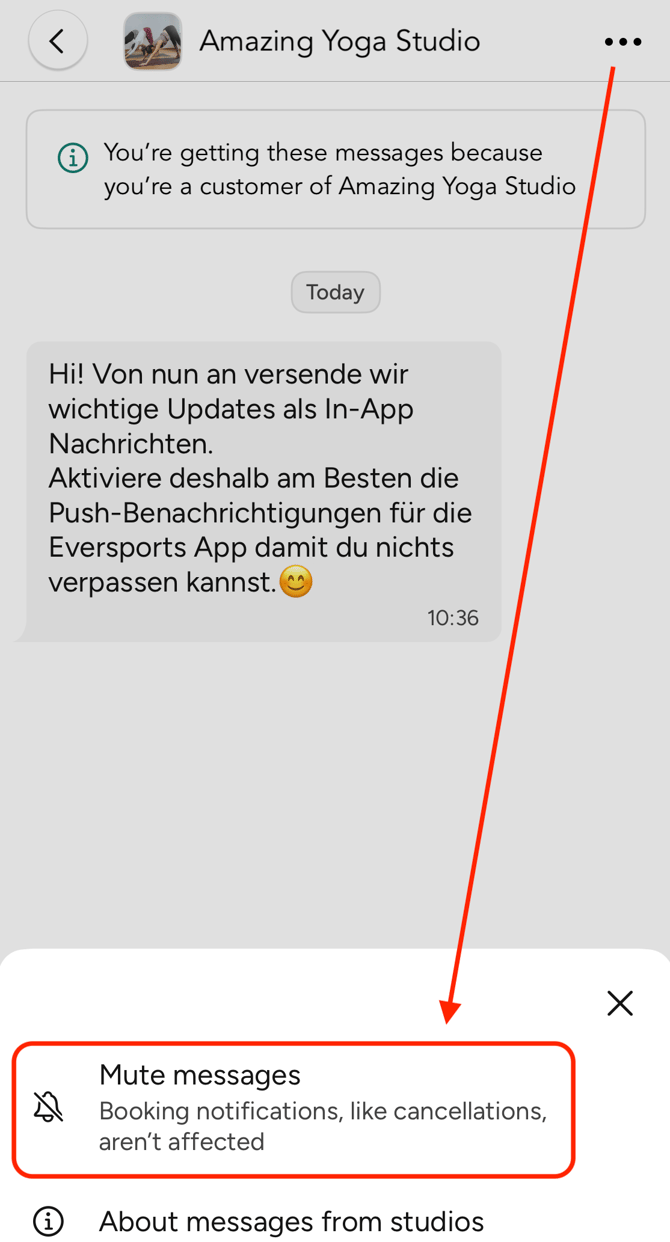 |
If you mute messages of a studio you will still receive them, but without a notification - you can still see them in your message center.
Booking notifications, like cancellations, are not affected when muting the messages.
Deactivate messages from a studio
You can deactivate all messages from a studio via an email they sent you - simply click "Unsubscribe" at the end of the email to deactivate all messages from the studio.
Booking notifications, like cancellations, are not affected when deactivating the messages. With the deactivation you will no longer receive news or marketing communication.