-1.png?height=40&name=Logo%20Eversports%20Horizontal%20(1)-1.png)
What are promotion codes?
In the Manager, you can now create new promotions called discount codes. These are codes that you can use for marketing purposes to attract new customers or to offer special promotions to your existing customers in order to improve your customer relationships. You can communicate discount codes that can be redeemed when your customers make a purchase and reduce the amount by X € or X %.
1. Guide to Discount Codes
Create a new promotion
Go to Marketing > Promotions > Create new promotion to create a discount code.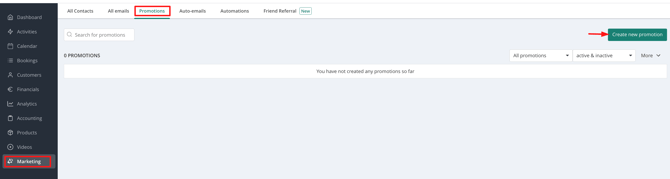
Basic information of the discount code
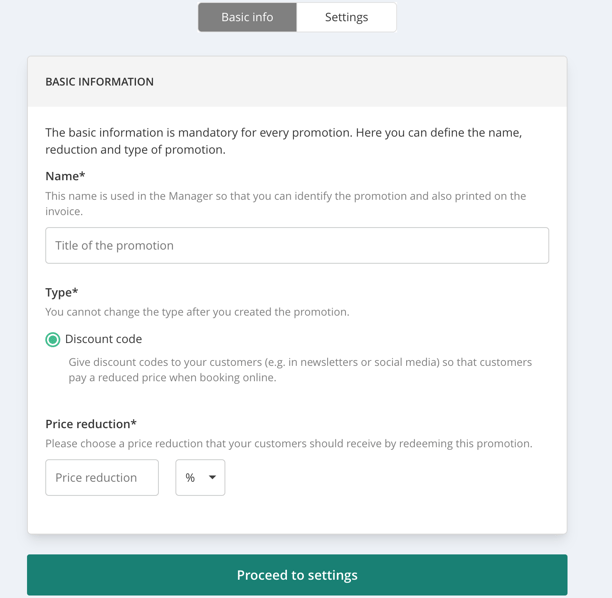
On the first page, you can set up the basic information of the promotion code. These details can be changed later.
- Name: This name is only visible to you
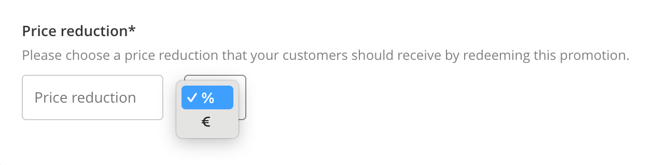
- Price reduction: Choose whether the discount is a percentage (%) or a fixed amount (€)
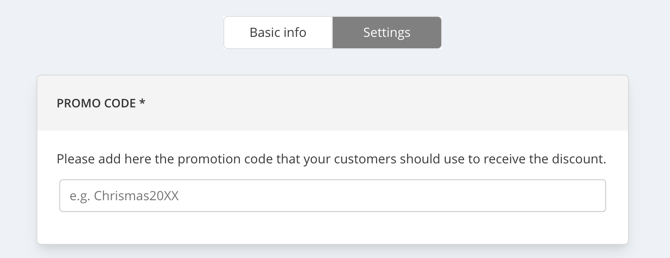
Discount code settings
Here you can configure the different settings for the discount code.
- Promo code: This is the code your customers enter during booking. This code cannot be changed later.
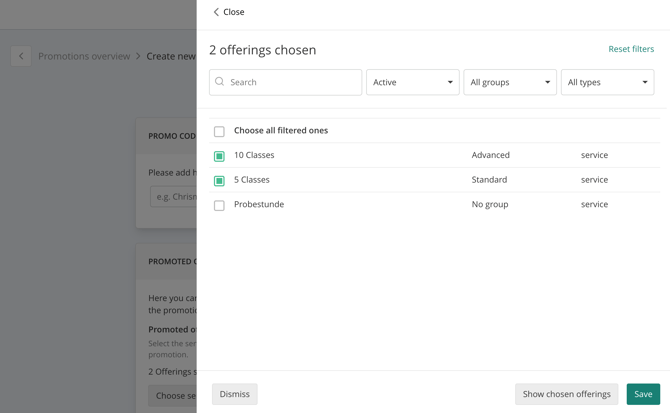
Promoted offers: What are promotions valid for?
You can create discount codes for specific services (e.g. time-based passes or multi-session passes), tickets, selected video purchases, or even specific venues.
You can precisely select which services, tickets, and videos a discount code applies to.
At the moment, it is not possible to create discount codes for memberships or single tickets.
Restrictions
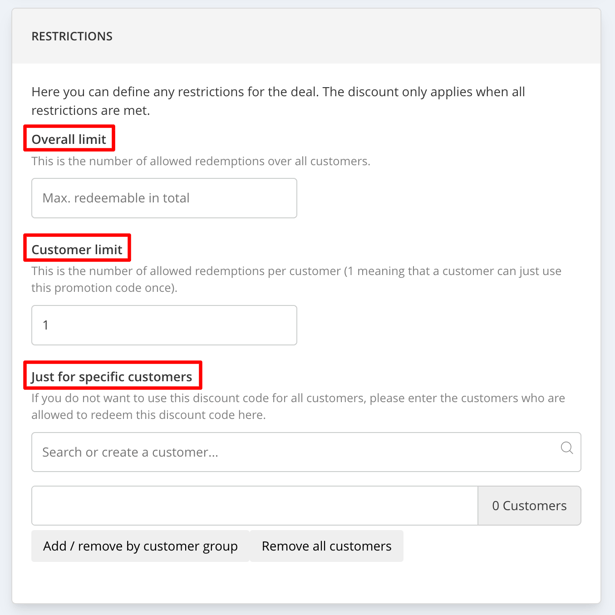
Here you can define different restrictions for the discount code:
-
Overall limit: How many times the discount code can be redeemed in total
-
Customer limit: How many times a customer can redeem the discount code
-
Just for specific customers: Enter the email addresses of customers who are allowed to use the code
Promotion activation
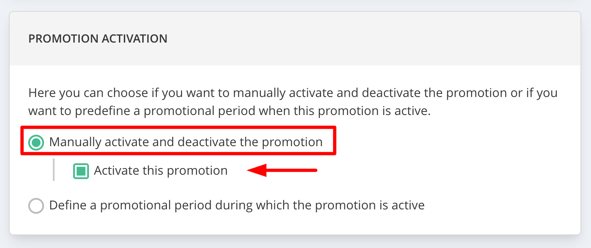
Here you decide when the code should be valid.
You can either activate or deactivate the code manually:
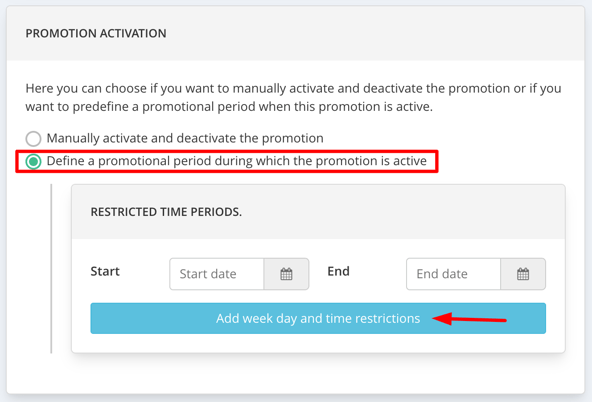
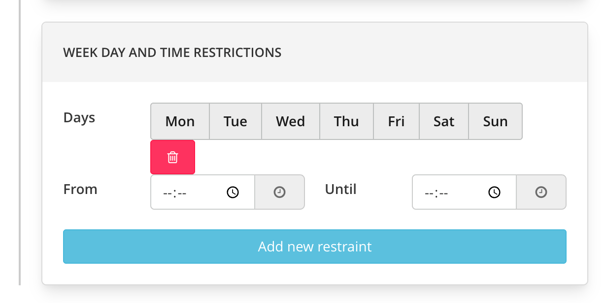
or define a specific validity period, for example from November 1–15, or only on certain weekdays.
How do customers redeem the discount code during purchase?
Your customers can enter a discount code directly during the booking process. Redemption is possible across all applications - whether customers book via the widget, the Eversports website, or the app.
During checkout, they simply click “Add voucher” and enter the discount code there.
2. FAQ about Promotion Codes
Why can I only create one discount code per promotion?
One discount code per promotion is usually sufficient, as you can define various limits. For example, you can set the code to be redeemable only once per customer and optionally define a total usage limit (e.g. a maximum of 100 redemptions overall).
Additionally, communicating a single discount code is much easier than managing multiple codes. If you still need multiple codes, you can simply create multiple promotions.
Is the redemption possible via all applications (widget, Eversports website, iOS app, Android app)?
Yes, redemption is possible via all applications. It doesn't matter whether your customers book via the widget, the Eversports website or the app.

How do my customers receive a discount code?
To allow customers to redeem a discount code, you need to communicate it to them.
You can use any online or offline channel - social media, your website, newsletters, flyers, and more. There are no limits to your creativity.

Can I create discount codes for memberships?
Currently, it is not possible to create discount codes for memberships.
Can I create discount codes for single tickets?
Currently, it is not possible to create discount codes for single tickets.
For classes or training sessions, we recommend creating a multi-session pass instead.
For multi-session events (courses, workshops, events), you can use tickets.
Can the discount code be redeemed directly by my customers?
Yes, your customers have the option of redeeming a discount code directly in the booking process when they select a service for purchase or purchase a video.
3. Ideas, Inspirations & Best Practices
Trial lesson or trial week at a reduced price
-
If you don't have a trial product yet, create a block card of 1 unit for a trial lesson or a 1-week time card for a trial week
-
Go to the menu item "Marketing" and create a new promotion, choose a discount code and link the trial products
-
Share the code via your communication channels (social media, newsletter, website, etc.)
Free trial lesson for new customers
-
Create a block card of 1 unit that can only be purchased by new customers
-
Create a new promotion with 100% discount value and link the block card
-
Share the code through your communication channels (social media, newsletter, website, etc.)
Discounted access to on-demand videos
-
If the video you want is not yet available for purchase via a single price, add a price for this video
-
Create a new promotion and link the desired videos
-
Share the code through your communication channels (social media, newsletter, website, etc.)
Trial week for on-demand videos
-
Create a 1-week time card valid for the videos you want to watch
-
Create a new promotion, choose a discount code and link the time card
-
Share the code through your communication channels (social media, newsletter, website, etc.)