-1.png?height=40&name=Logo%20Eversports%20Horizontal%20(1)-1.png)
With the Koacher API integration, your schedule is automatically synchronised between Eversports Manager and Koacher. Bookings and cancellations are transferred in real-time, making management easier and more efficient.
1. Activate the Koacher Extension
To get started:
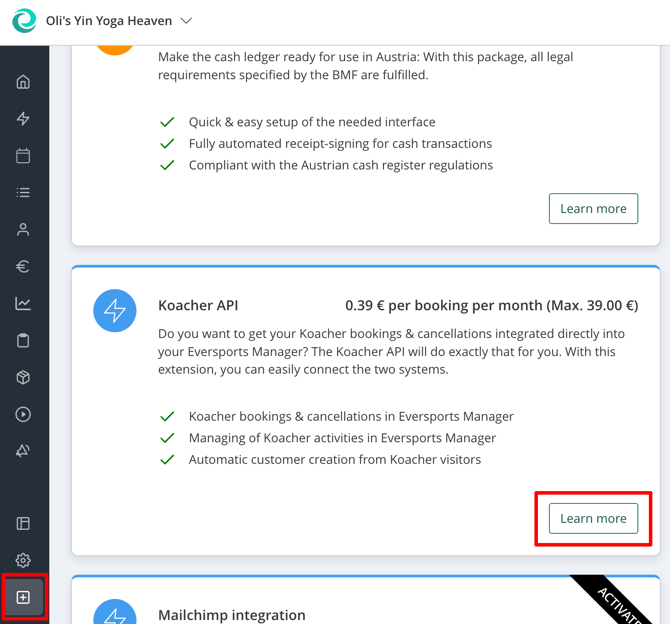
- Navigate to the Market menu (bottom left in your Eversports Manager)
- Select Koacher and click Learn more.
- Follow the activation steps.
- You will receive a confirmation email with further information.
2. Enable Activities for Koacher
You can choose which activities (classes or trainings) are available on Koacher:
- Go to the relevant activity settings
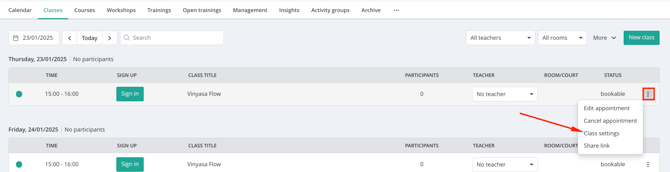
- Open the Rules tab.
-3.png?width=583&height=486&name=downloads.intercomcdn.comio2000898362e4878b221f60164423cec83Screenshot+(34)-3.png)
- Under Aggregator bookings, select "Allow bookings from aggregators" to enable the activity for Koacher.
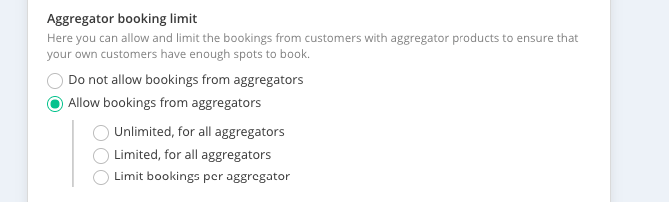
- Optionally, you can limit the number of spots available for bookings from aggregators.
3. Inform Koacher Support
After enabling your first activities:
- Contact the Koacher support team to finalise the connection.
The Koacher support team will link your Eversports Manager to your Koacher account. - You will need to send the Location UUIDs for all locations you wish to link.
To find your Location UUIDs:
- Go to Settings > Aggregators.
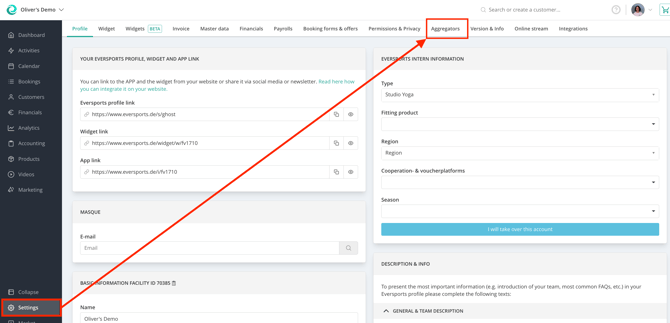
- Copy the Location UUIDs using the copy button provided.
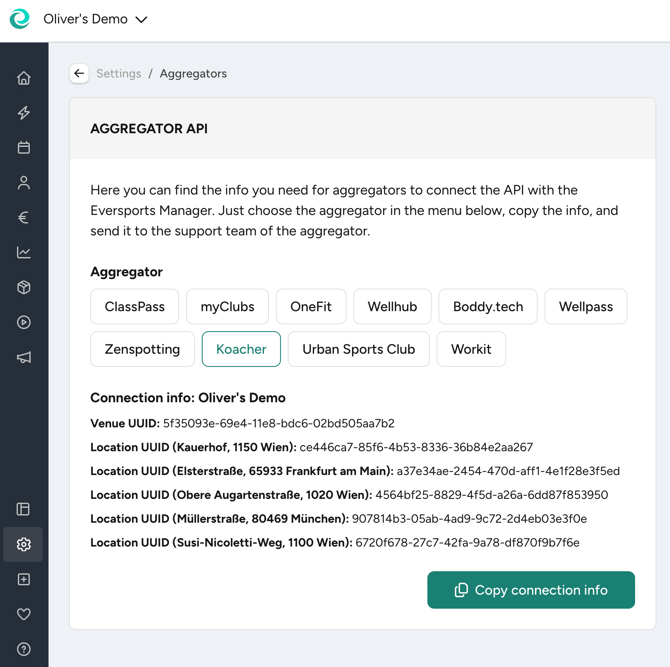
4. How the API Works
Once your Koacher API connection is complete, the following processes are automated:
Synchronize activities
All classes or trainings marked as available for aggregators are automatically synced with Koacher - no need to manage your schedule twice.
Bookings & Cancellations Sync
When a Koacher customer books or cancels via the Koacher API:
- The booking and cancellation is transferred directly into your Eversports Manager.
- These appear in the same activity list as your regular bookings.
- The product "Koacher" is automatically assigned and cannot be deleted manually from the activity.

Customer Creation via the API
- When someones books via Koacher:
- A customer profile is created in your Eversports Manager
- The aggregator ID is saved in the profile to match all future bookings from the same user.
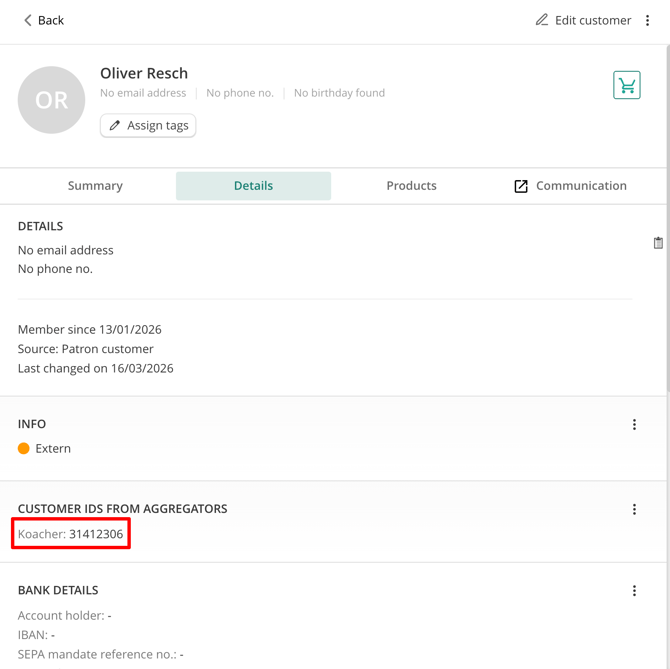
- If a customer already exists in your system:
- You can manually add the Koacher ID:
- Go to the customer profile
- In the Details tab, find Customer IDs from aggregators.
- Click the three dots and enter the Koacher ID.
- You can manually add the Koacher ID:
-3.png?width=670&height=114&name=downloads.intercomcdn.comio20009426455639dfc0b393a2f2f6bb844Screenshot+(39)-3.png)
This ensures future bookings are assigned to the existing profile instead of creating duplicates.
Have fun with your new Koacher API!