-1.png?height=40&name=Logo%20Eversports%20Horizontal%20(1)-1.png)
Follow the steps below to activate and set it up.
1. When should I activate the extension? 🤔
Activate this extension only if you issue invoices to business customers (companies).
You do not need the extension if:
- You only invoice private individuals
- You do not work with business clients
We recommend activating it if:
- You have B2B customers who require compliant electronic invoices
- You work with companies already using PEPPOL
- You expect to invoice businesses in the future and want to be prepared
2. How to Set up e-invoicing ⚙️
Step 1: Verify your company details 🏢✔️
To send e-invoices through PEPPOL, your company information must be complete.
Make sure:
- ✔ Your VAT ID is added
- Go to Settings > Master data
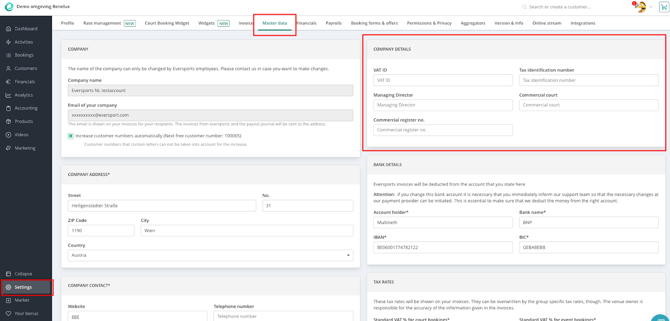
- Check in Company details if you have entered your VAT ID number.
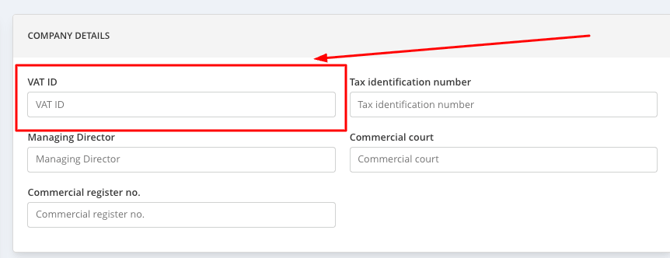
- Go to Settings > Master data
Note: If your VAT number is not filled in, you must contact the support team (support@eversports.com) and send us your VAT number so we can add it to your account.
- ✔ Your company is registered in the PEPPOL Directory
We will automatically check your registration before the extension becomes active.
If your company is not yet registered you should register your business yourself.
Note: When you are not yet registered with the PEPPOL network you are not able to activate the extension. 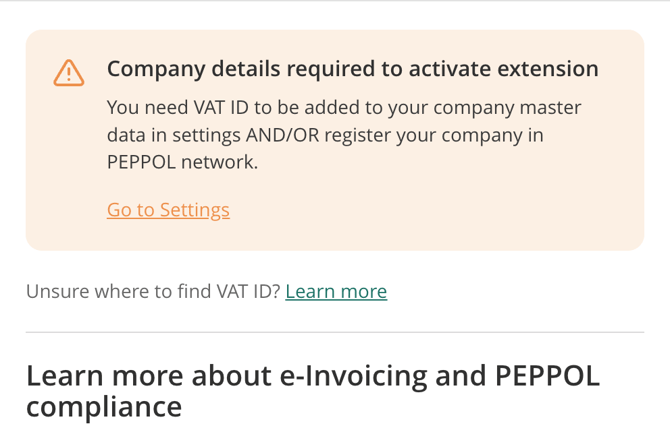
Step 2: Activate the Extension in the Marketplace 🛒
- Go to menu Market
- Select e-Invoicing Belgium
- Click on Learn more
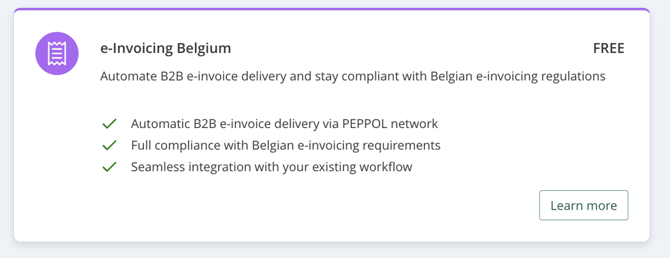
- Go through the steps and click on Use Extension
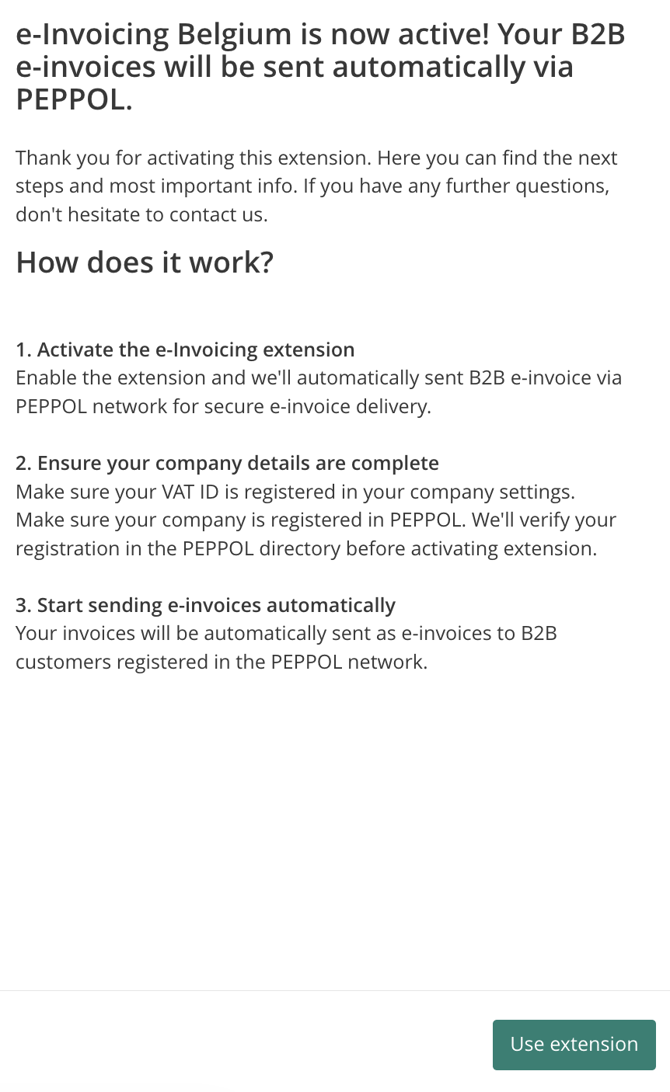
Step 3: Start sending e-invoices automatically 📬✨
Once activated:
- All invoices to business customers with a PEPPOL registration will be sent automatically
- Delivery happens securely in the background.
Note: If the delivery fails, we send a back up e-invoice via e-mail to your customer instead. - No manual uploads or exports needed 🙌
You can continue using your invoice workflow as usual.
3. How to enter a customer as a business customer 🧑💼🏷️
- Go to menu Customers
- Open an existing customer or Create a new customer
- Go to Edit customer in the customer profile
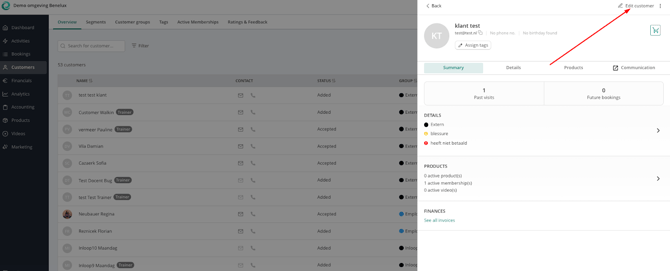
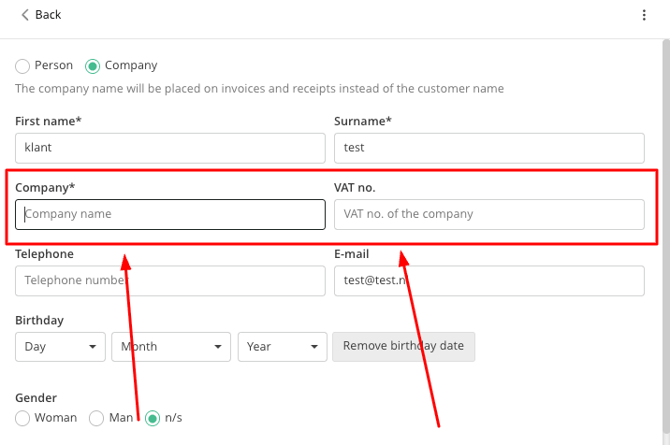
- Select Company:

- Add the company name and add the VAT Number (required for PEPPOL) ✔️
Attention:
The correct format of the VAT ID is “BE“ followed by 10 digits ex. BE1234567891
Checklist to correct the format:
- The VAT ID starts with BE (capitalized)
- The VAT ID has 10 digits
- The VAT ID does NOT have dots or spaces in between the digits
Check if any data is missing for the customer in the profile:
- The full address of the customer is filled out and no data is missing here. (street, city, postalcode, country etc.)
- If the VAT ID is missing, fill it out with the correct format.
- Save your changes
Note: You must set the customer as a Business / Company before creating the invoice. Once an invoice is created, it cannot be converted into an e-invoice, and PEPPOL delivery will not be possible.
4. Frequently Asked Questions ❓
➡️ Do I need this for private individuals?
No, PEPPOL is for B2B invoices only.
➡️ How do I know if a customer is a business?
They have a company name and VAT number in their customer profile.
➡️ Is the extension really free?
Yes, it is free for now.
➡️ Can I deactivate it later?
Yes, you can contact our support team to deactivate the extension via support@eversports.com
➡️ How do I know if it is set up correctly?
When a customer is set up as a company with a company name and VAT number and an invoice is created it will automatically be sent as an e-invoice to the PEPPOL Network. The recipient (your customer) needs to also be registered to the network to be able to receive it.
➡️What happens when I cancel an invoice?
A credit note will be created and sent the same way as an invoice.
No, we sent the invoice for you and it will not appear in your software at this moment, but your customer will see it in their software.
Need help? 💬
If you have questions or need help setting up the extension, our support team is happy to assist. You can contact us via email support@eversports.com or via the chat bubble in your manager.