-1.png?height=40&name=Logo%20Eversports%20Horizontal%20(1)-1.png)
In this article you can find:
⏰ What Happens to Your Old Widget Links — and When?
🔍 How to Check If You’re Still Using the Old Widget
⚙️ Automatic Setup: What Eversports Created for You
✅ Quick Summary
- The old Widget will stop working after May 31, 2026
- Old Widget links will no longer lead directly to bookings or purchases
- Customers will instead be redirected to your Widget Overview
- You should replace old Widget links and embeds with the new individual Widgets or Widget Overview
- Review your Widget Overview to ensure everything is set up correctly
⏰ What Happens to Your Old Widget Links — and When?
Starting May 11, 2026:
- Some links (e.g. in emails or after checkout) will start redirecting customers to your Widget Overview.
After May 31, 2026:
- Old Widget links will no longer work as direct booking or purchase links.
- Customers will see a short information page and then be redirected to your Widget Overview.
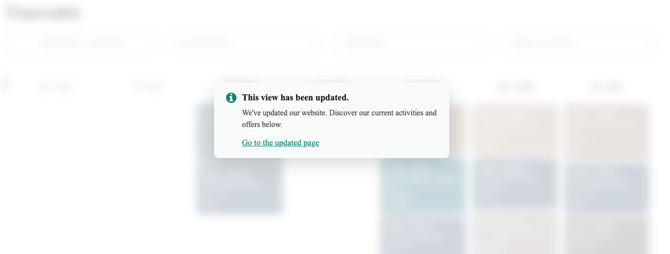
This ensures customers can still access your offers.
For the best booking experience, you should update all links and embeds on your website.
Widget Overview
To ensure a smooth transition for both you and your customers, Eversports has introduced the Widget Overview - a central page that brings all your Widgets (e.g. schedule, prices, activities, vouchers) together in one place and serves as the main entry point for bookings and purchases.
The Widget Overview is an addition to the new widgets, and gives you the option to show your new widgets together in one place. It does not replace the individual widgets you might have already created and added to your Website (Schedule, Pricing, Gift Vouchers, etc.).
➡️ Learn more: Widget Overview: Create a Single Entry Point for Your Widgets
Some flows are automatically handled by Eversports:
- After checkout → “Go to Website” leads to your Widget Overview
- In emails where Widgetlink variable is used → links lead to the Prices section
- After account activation → customers are guided to the Widget Overview
No additional action is needed for these - just make sure your Widget Overview is set up correctly.
⚒️ What Should You Do?
If you already use the new widgets:
- Review your Widget Overview (→ Learn more: Widget Overview: Create a Single Entry Point for Your Widgets)
- Make sure it reflects where you want customers to land
- Test it using the Preview

- Adjust or add new widgets if needed
If you are still using the old widget (or are unsure):
- Replace old widget links with new Widget links
- Replace old embed code with new embed code
- Review your Widget Overview (→ Learn more: Widget Overview: Create a Single Entry Point for Your Widgets)
- Check emails or automations for old Widget links
💡 Even if you don’t update everything immediately, customers will still be redirected to the Widget Overview — but updating ensures a smoother booking experience.
🔍 How to Check If You’re Still Using the Old Widget
To understand what you need to do, check whether you are still using the old Widget.
1️⃣ Check on your Website, Social Media, etc. if you have Widgets linked or embedded
On your Website: Open the page(s) where your Widget is embedded or linked (e.g. buttons for your schedule, voucher, prices, activities)
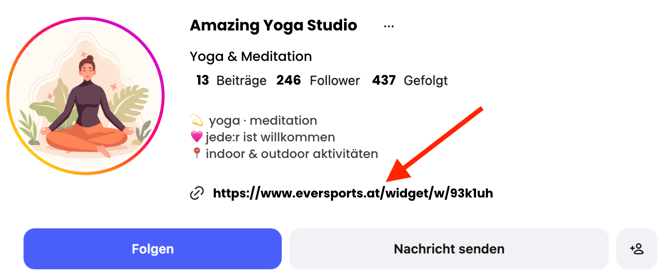
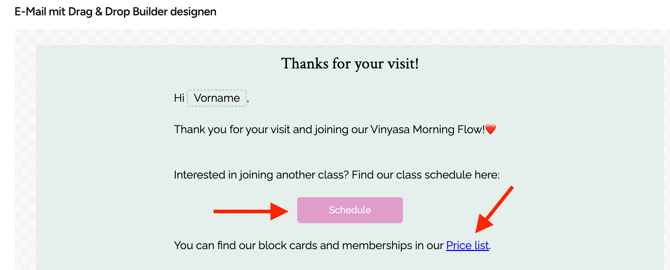
On Social Media, Newsletter, Automails: Open links leading to booking (e.g. "Book here") or to buy vouchers/products.
| Social Media | Automails |
 |
 |
2️⃣ Compare what you see:
-
Old Widget vs. New Widget:
-
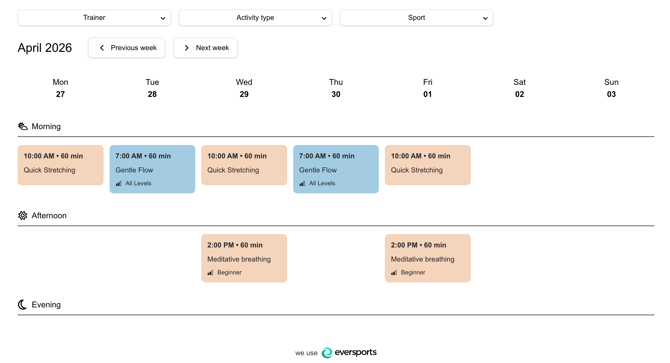
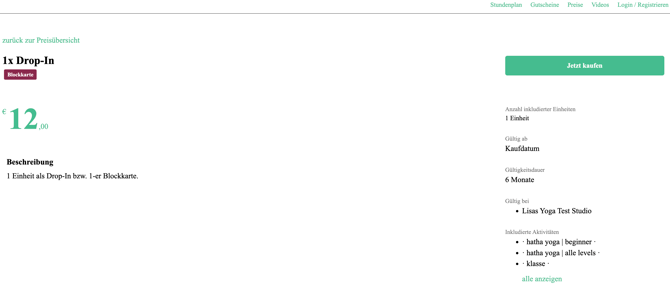
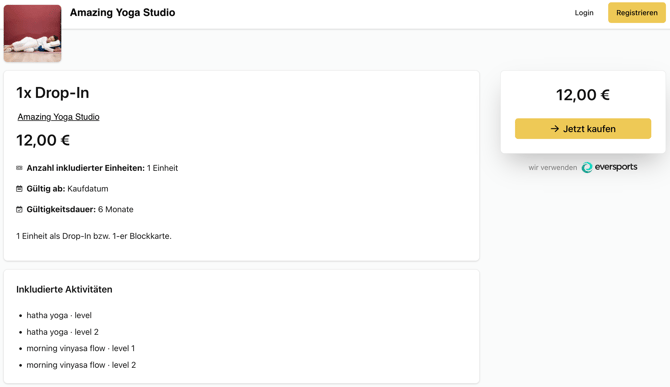
Old Widget: one combined view with tabs (Schedule, Prices, etc.) and big studio logo
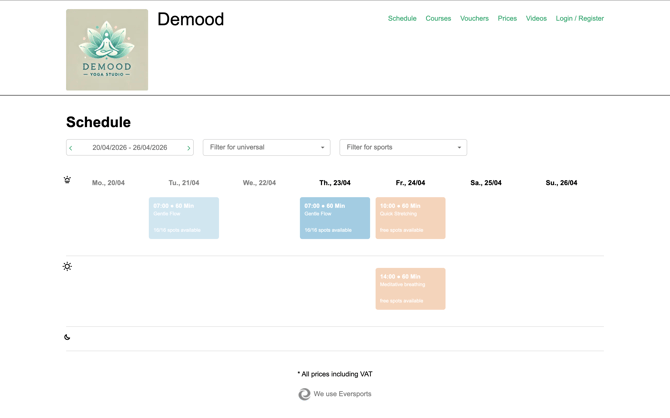
- New Widgets: individual view of the Schedule, Prices, Vouchers, etc. with a more modern layout
-
| Old Widget example (Schedule) | New Schedule Widget example |
|
|
|
| Old Widget - Price Details example | New Widget - Price Details example |
 |
 |
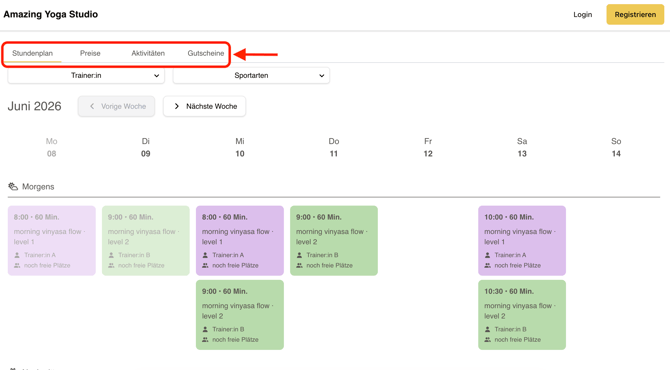
- Old Widget vs. Widget Overview:
-
Old Widget: switching tabs in top right corner
- Widget Overview: switching tabs left above the individual widget view
-
| Old Widget example | Widget Overview example |
|
|
 |
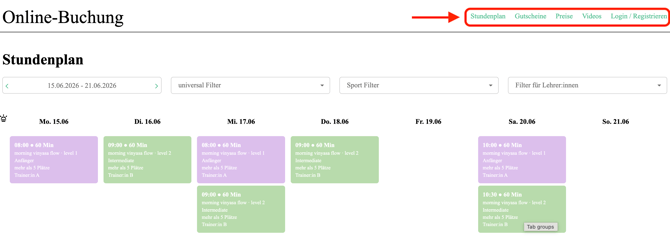
Also check the links on your Social Media (e.g. Instagram), Newsletters, and Automails.
3️⃣ Check Your Links or Embed Code:
- Compare your current website links or embed code with those in Settings > Widgets.
- If they don’t match, you may still be using the old widget.
| Old Widget example | New Widget example | |
| Link | https://www.eversports.at/widget/w/va7wq?_gl=1*1d3d4*_gcl_au*MTYyODkyMTM5My4xNzczNzQzMDAy | https://www.eversports.at/org/widget/dccea2d8-7ea6-4d50-ad1d-f20c31ec2a55?venueId=7e49c6b-143d-433e-bcfb-50f9c035276a&_gl=1*s7f1en*_gcl_au*MTYyODkyMTM5My4xNzczNzQzMDA |
| Embed code | No separate embed code, same as above |
<script type="module" src="https://widget-static.eversports.io/loader.js" async defer></script>) |
⚙️ Automatic Setup: What Eversports Created for You
To support the transition, Eversports may already have prepared a setup for you:
- A Widget Overview for your account
- Pre-created Widgets (e.g. Schedule, Prices, Activities) whenever possible
- These may already be linked inside your Widget Overview
You can recognize them by their name:
- “Created by Eversports: [Widget type]”

➡️ In most cases, you already have a working setup — you just need to review it.
✨ Why This Change Is Happening
The new Widget system gives you more flexibility and control:
- Create multiple Widgets per type (e.g. Schedule, Prices, Activities)
- Customize design and filters to match your website
- Benefit from improved performance and user experience
→ Learn more: Switching from old to new Widgets – what you need to know
🆘 Need Help?
- Check the relevant Help Center articles:
- Contact our Support Team via chat or at support@eversports.com