-1.png?height=40&name=Logo%20Eversports%20Horizontal%20(1)-1.png)
Teacher/trainer availability works together with private session offer availability to determine when customers can book or request a private session. To learn more about how booking availability is calculated, see Understand private session availability.
Important
For private session offers that require a teacher/trainer that can be booked directly by your customers, the teacher/trainer availability needs to be configured so that customers can see and book available slots.
For private session offers that require approval for online bookings, customers can still send requests even if there’s no teacher/trainer availability configured. However, configuring the availability helps to provide more accurate booking suggestions.
Accessing teacher/trainer availability
Teacher/trainer availability can be accessed from several places in Eversports Manager:
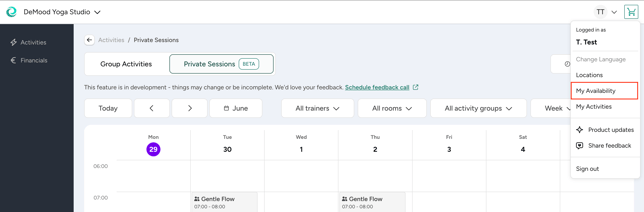
- In case you are a teacher, you can see My Availability in the main navigation
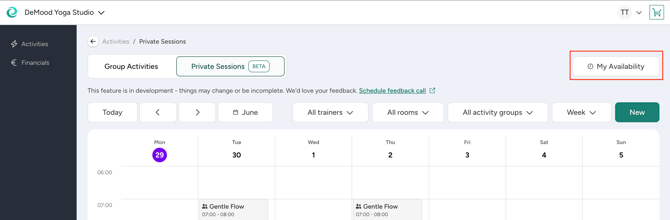
- The Private Session Calendar
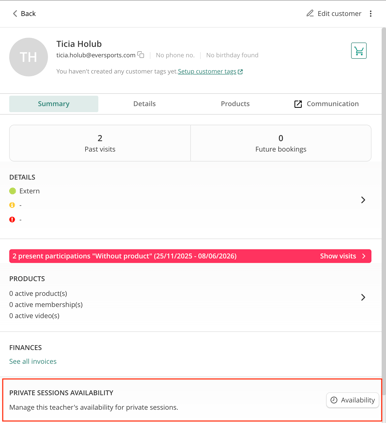
- The Customer Profile
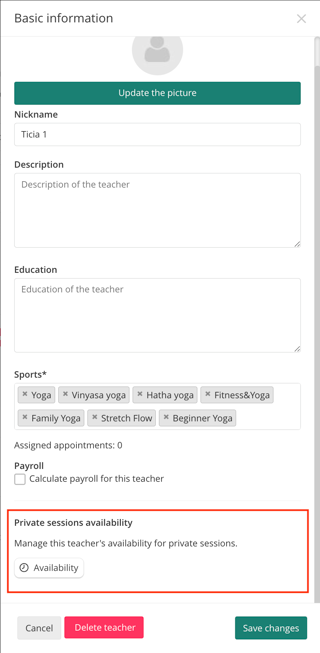
- The Teacher/Trainer Profile
Setting the default availability
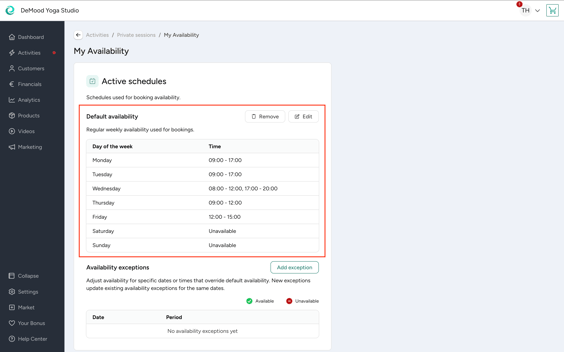
The Default Availability defines the days and times a teacher/trainer is usually available to teach private sessions.
For each weekday, you can:
- Add one or more available time ranges
- Add unavailable times for the entire day
The default availability acts as the foundation of your schedule.
Adjusting availability for specific dates
If a teacher’s/trainer’s schedule changes occasionally, you can add Availability Exceptions. These temporarily override your regular availability without changing your default schedule.
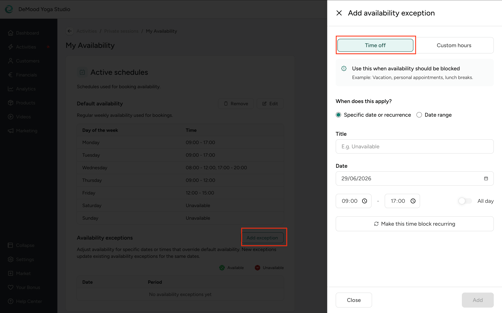
Time Off
Use Time Off when for unavailability during times that are usually available.
For example:
- Vacations
- Recurring personal appointments every Wednesday afternoon
Time Off can be created for:
- A single date
- A date range
- Recurring periods
Existing appointments won't be affected when you add or edit Time Off.
Custom Hours
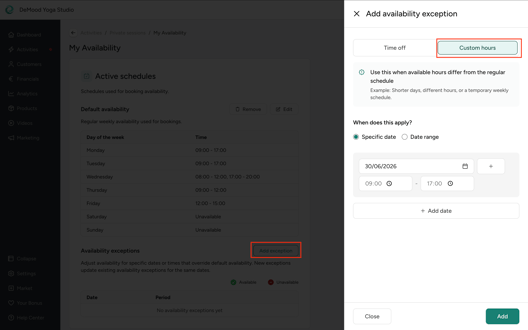
Use Custom Hours when the availability changes to different times than usual.
For example:
- You're normally unavailable on Sundays but want to offer private sessions this Sunday from 10:00–14:00.
- During a holiday week, you're only available from 09:00–13:00 instead of your usual working hours.
Custom Hours allow you to adjust the availability for a specific date or date range while keeping the regular weekly schedule unchanged.
Sync your personal calendar
If you are a teacher/trainer yourself, and you already manage your schedule in another calendar, you can subscribe to it via your Eversports Manager using a calendar subscription link.
You can link calendars such as Google Calendar, Apple Calendar, and Outlook / Microsoft 365.
Once connected, busy events from your synced calendar are automatically considered when customers book private sessions. This helps reduce manual work and keeps your availability up to date.
You can add multiple calendars and remove them again at any time.
For step-by-step instructions on how to connect your calendar, see the existing Help Center article on calendar syncing.
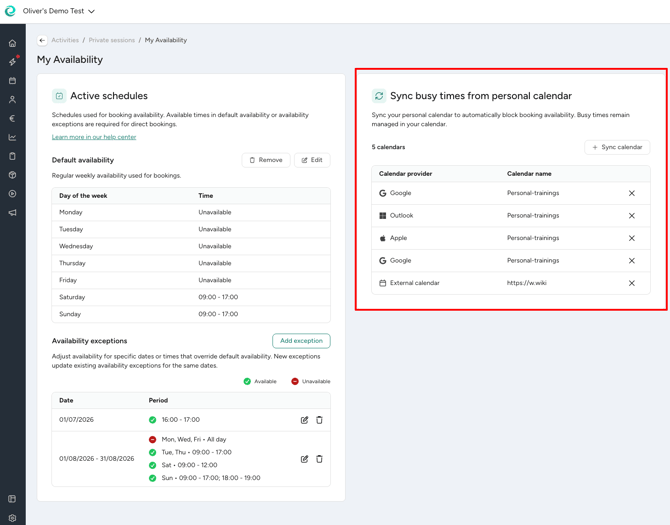
💡 This option is only available for teachers and trainers themselves via the my availability page. So, administrators and leading employees cannot add a personal calendar of a teacher.
Reviewing availability
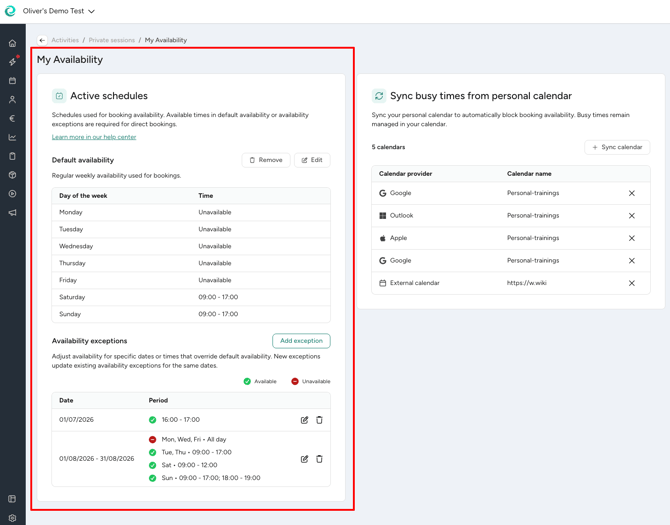
The availability page provides an overview of how your Availability Exceptions compared to your Default Availability.
This overview helps you quickly see where your schedule differs from regular working hours and confirm that the availability is set up as expected before accepting bookings.
Note that synced calendar busy times are not displayed in this overview.
Managing availabilities for teachers and trainers
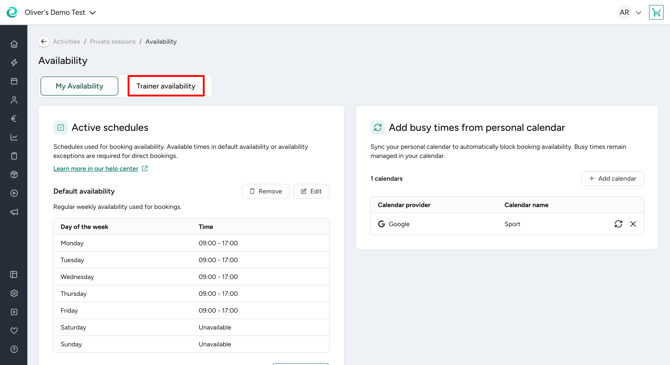
As an administrator or leading employee you can also manage your teachers’ and trainers’ availability for them. When you access the availability management you can either see that you can navigate to the availability overview for all teachers and trainers from the “My availability” page in case you’re a teacher yourself, or you open the availability overview for all teachers and trainers directly.
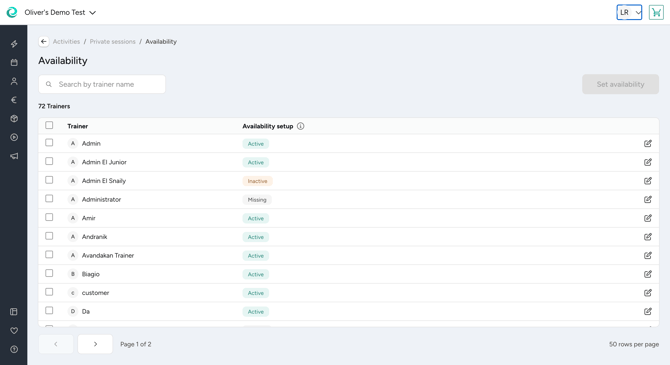
In this overview you can see the status for all teachers and trainers:
- Active: This teacher has availabilities set up
- Inactive: There are just availabilities in the past
- Missing: No availability has been set up
Please be aware that for private session direct bookings only teachers and trainers with active availability are considered.
In case you want to create the same availabilities for multiple teachers, you can select the desired teachers or trainers and click on the “Set availability” button above the table. Changes you do then are applied to all selected teachers. This means that if you create default availabilities or exceptions for multiple teachers they are created for all selected teachers and trainers.
❗️Be aware that if you set the availability for multiple teachers the existing availability of them might be overwritten.
Things to know
- A teacher’s/trainer’s availability affects all private session offers s/he's assigned to as a teacher/trainer.
- Changing the availability doesn't affect existing private session appointments.
- Synced calendar events automatically block your availability during those times, but don’t show up in the Manager.
- If you offer direct bookings, you need to configure your teachers’/trainers’ availability so that customers can see and book available slots