-1.png?height=40&name=Logo%20Eversports%20Horizontal%20(1)-1.png)
Use this checklist to discover features you may not be using yet.
✔️ 🛍️ Product Types
✔️ 🧘 Activity Types
✔️ 🌐 Widgets
✔️ 🎁 Marketing & Discounts
✔️ 📧 Communication Extension
✔️ 📊 Analytics & Reports
✔️ 👥 Employee Management
✔️ 👤 Customer Management
✔️ 💻 Online Actions
✔️ 🧾 Fiscal Extensions
🛍️ Product Types |
⬜︎ Are you offering the right products?
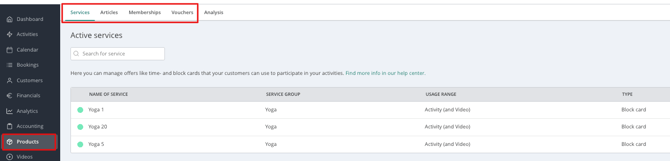
Eversports supports several product types to match your pricing model.
Examples:
- Drop-in Tickets
- Class Passes
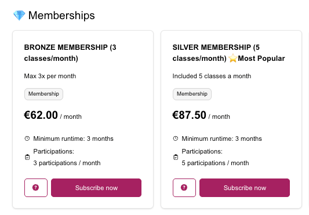
- Memberships
- Gift Cards
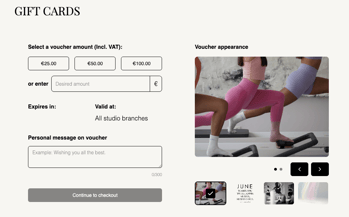 .
. 
A few things you can do with it:
- Sell a 10-class block card so regulars commit without paying for a full membership
- Offer trial classes for first-timers to try
- Set up a monthly membership with auto-renewal to stabilize recurring revenue
- Sell gift cards ahead of the holidays to bring in new customers
🧘 Activity Types |
⬜︎ Are you using the right activity type?
Different activity types are designed for different business models.
Examples include:
- Classes with recurring appointments every Monday and Wednesday
- Trainings with regular appointments every 2 weeks
- Course with eight related appointments
- Workshop for one day
- Retreat with full-day appointments for one week
- Event for a holiday or opening
- Private lessons sessions that can be booked at a custom time chosen by your client within a defined timeframe
Choosing the correct activity type unlocks additional functionality and improves the customer experience.
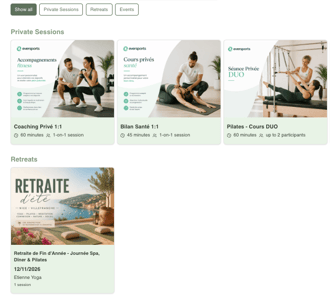
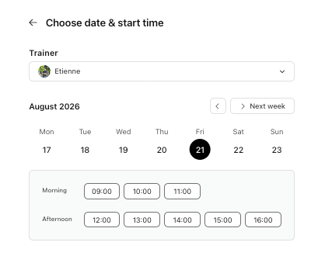
A few things you can do with it:
- Set up a multi-week course with a fixed start and end date for beginners
- Run a one-off workshop or event with its own registration and pricing
- Offer private sessions that clients can book on demand for personal training or massages
👉 Learn more:
🌐 Widgets |
⬜︎ Can customers book directly from your website?
Widgets allow customers to book classes, buy products and view your schedule without leaving your website.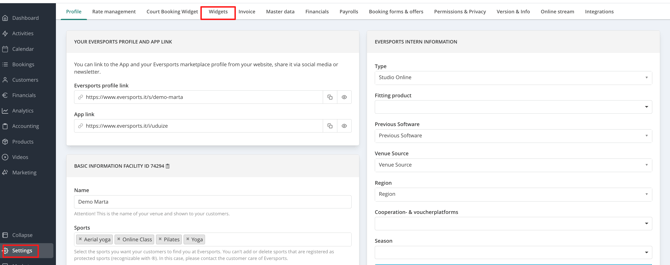
Available widgets include:
- Schedule
- Prices
- Activities
- Videos
- Gift Cards
- Newsletter Signup
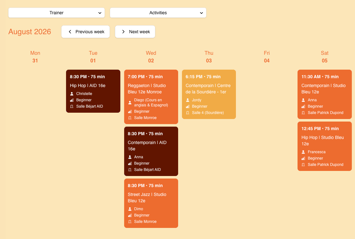
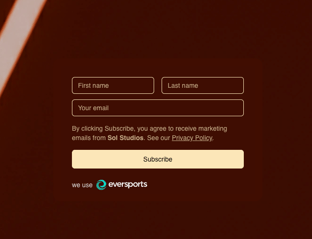
A few things you can do with it:
- Embed your schedule so customers can browse and book on your site
- Show your price list on your website so people know costs before they call
- Add a gift card widget so customers can buy vouchers directly from your homepage
- Add a newsletter signup widget to keep growing your mailing list
🎁 Marketing & Discounts |
⬜︎ Are you using promotions to attract new customers?
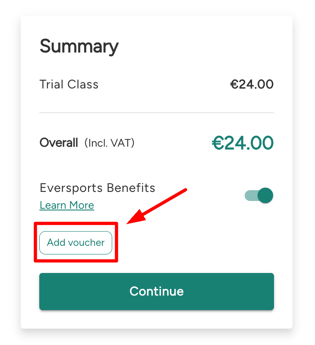
Discount codes help you run campaigns and reward loyal customers.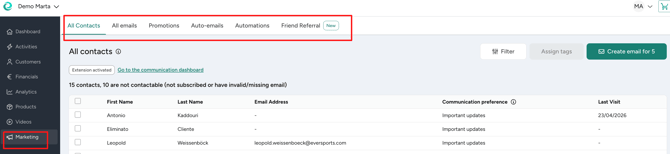
Examples:
- Welcome offers
- Seasonal campaigns
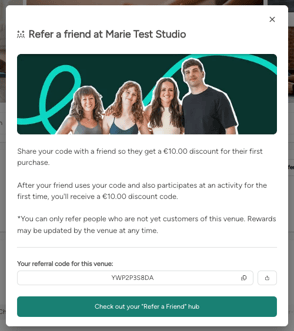
- Referral promotions
 .
. 
A few things you can do with it:
- Send a welcome discount code to attract first-time bookers
- Run a seasonal promo (e.g. "back to school") to fill a quieter period
- Reward referrals with a code for both the referrer and the new customer
- Test a limited-time offer to boost sign-ups for a new class
👉 Learn more:
📧 Communication Extension |
⬜︎ Are you communicating with your customers?
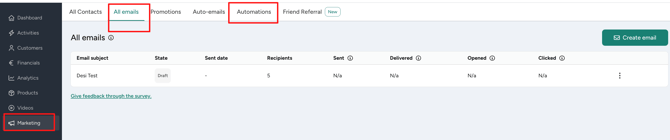
The Communication Extension allows you to:
- Send newsletters
- Create automated customer journeys
- Send reminders
- Re-engage inactive customers
- Reward loyal customers
Everything works directly with your Eversports customer database, no exports or third-party tools required.
-1.png?upscale=true&width=1120&upscale=true&name=Untitled%20design%20(1)-1.png)
A few things you can do with it:
- Send regular newsletters to keep your customers engaged
- Send an automated "come back" message to customers who haven't booked in 30 days
- Set up a welcome journey for new members that introduces your studio step by step
- Recognize loyal customers with a personalized thank-you message
📊 Analytics & Reports |
⬜︎ Do you regularly check your business performance?
With Analytics you can track revenue, attendance, no-shows, memberships, customer growth and much more.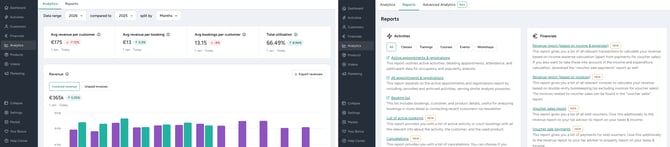
Popular reports include:
- Revenue Reports
- Occupancy Reports
- Customer Reports
- Product Reports
- Financial Exports
A few things you can do with it:
- Notice a membership type quietly declining in sign-ups before it affects next quarter's revenue
- Compare weekday vs. weekend attendance to decide if it's worth adding a Sunday slot
- Spot which discount codes are actually driving bookings and which ones are just cutting into your margin
- Check average revenue per customer to see if a price increase makes sense
- Identify your slowest month of the year in advance, so you can plan a promo ahead of the dip
- See how a new instructor's classes are filling up compared to your established ones
- Track no-show rates by class type to decide where a waitlist or deposit policy would help
- Export last year's numbers in a few clicks when your accountant asks for them at tax time
�� Learn more:
👥 Employee Management |
⬜︎ Is your team managed efficiently?
Save time by using features such as:
- Teacher substitutions
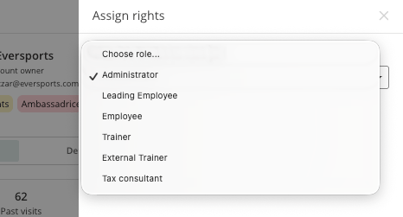
- Employee permissions
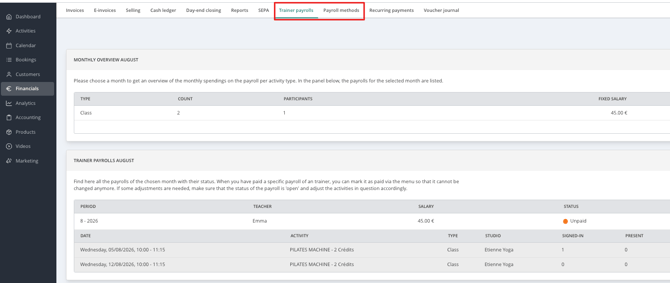
- Payroll extension
These tools become especially valuable as your team grows.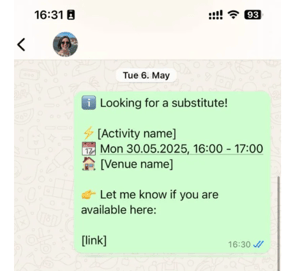
A few things you can do with it:
- Support and follow the process to find a substitute teacher
- Set up substitute teacher access so a stand-in only sees what they need
- Assign permission levels so front-desk staff can't edit financial data
- Use the payroll extension to calculate instructor pay automatically based on classes taught
👉 Learn more:
👤 Customer Management |
⬜︎ Are you making the most of your customer database?
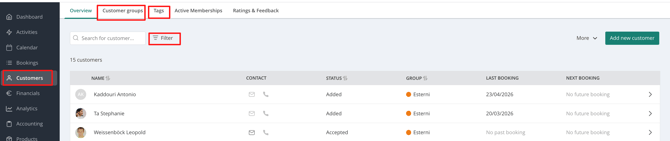
Organize and engage your customers more effectively with:
- Customer Groups
- Customer Profiles
- Tags
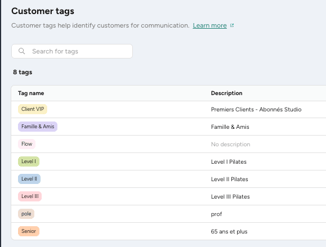
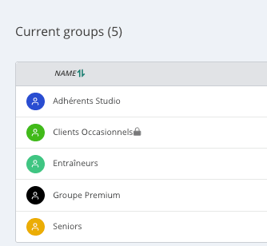
A few things you can do with it:
- Tag customers by interest (e.g. "yoga", "kids") to send more targeted offers
- Check a customer's full history and preferences on their profile before they arrive
- Limit acces to certain classes or products to specific customers' groups
👉 Learn more:
💻 Online Actions |
⬜︎ Can your customers do everything online?
Give your customers a seamless self-service experience by allowing them to:
- Book classes
- Buy products
- Join waiting lists
- Cancel bookings
- Manage memberships
- Download invoices
- Update payment methods
The more actions customers can complete online, the less manual work your team has to do.
A few things you can do with it:
- Let customers join a waiting list themselves when a class is full
- Let customers cancel or rebook according to your policy, without calling you
- Let customers update their payment method online to avoid failed payments
👉 Learn more:
🧾 Fiscal Extensions |
⬜︎ Is your studio compliant with local fiscal regulations?
Depending on your country, Eversports offers integrations to help you comply with legal fiscal requirements.
Available integrations include:
- helloCash (Austria)
- TSE / fiskaly (Germany)
- Veri*factu / TicketBai (Spain)
- PEPPOL e-Invoicing (Belgium)
- NF525 (France)
Please note that Eversports cannot provide legal or tax advice. Always consult your tax advisor regarding your obligations.
👉 Learn more:
✅ How many boxes did you check?
9–10 sections ✔️
You're taking full advantage of Eversports, great job!
6–8 sections ✔️
You're using many powerful features, but there are still opportunities to save time and improve your workflows.
0–5 sections ✔️
There's plenty of untapped potential! Explore the linked guides above to discover features that can help automate your daily operations and grow your business.
❓Still have questions?
We're here to help! If you're unsure whether a feature is right for your business or need help setting it up, don't hesitate to reach out.
Contact our Support Team if you need personalized assistance, we'll be happy to help you get the most out of Eversports.
👉 support@eversports.com or via the chat
We can show you those tips in a video call, write us so we can forward you to one of our experts.